If sorted by function, the devices contained on a computer system can be divided into five types as follows.
tool Input
Input devices or input device is a hardware device that allows you to enter data intocomputers. That further data will be processed. Inside the device there is an input signal and maintenance signal. Input signal in the form of data, whether in the form ofletters, numbers, pictures, and sound that is inserted into the computer system. signal
maintenance of a program to process the data entered. Thus, the input devicefunctions to enter data and enter the program. Here are examples of input devices.

keyboard
The keyboard is an input device that has shaped keyboard keys or the letter keys,number keys, special character keys, and function keys. The keyboard is the maininput devices in computer systems because almost all computers can we inputkaninstructions via the keyboard. There are several types of keyboards that we usually encounter, such as a keyboard 83 keys, 101 keys, 102 keys, 104 buttons and 109keys.
mouse
Mouse very important role in computer systems based GUI (Graphical User Interface)interface found on most computers today. Mouse is used as a tool to designate andexecute commands on the menus that appear on the screen. This tool has two click buttons and one scroll button. Left button is typically used as a command button, while the right button is used as a shortcut key. Scroll button is used to scroll the screen sowe can move pages quickly.
joystick
Joystick is used to enter commands at the time we run a computer game. The shaperesembles a stick joystick that we can move in several directions, and is equipped withbuttons at the top.
trackball
Trackball has the same function as a joystick, which is to enter a command at the time we play computer games. In this tool there is a large enough ball so easily moved while playing the game.
scanner
Scanner is a tool to scan or copy a printed document such as images, photographs, ortext into digital data that can be processed by computer.
barcode reader
Barcode reader is a device that works like a scanner, which scans the barcode so that the barcode can be read by a computer. To read the barcode such, we need abarcode reader
Microphone-shaped function to enter data into a computer voice. This tool should we relate to the sound card (sound card) in order to receive input in the form of sound.With the help of specific software, voice input can we edit and we store on computers.
Touch screen or touch screen input is a tool that allows us to enter data or instructionsto the computer through touch. You can find touch screens in public places that provideinformation to the public or at ATM machines.
video camera
Often referred to video cameras or camcorders are a tool for recording moving objectsup to a video file or movie. Camcorders including the input devices. Recording the results can be transferred to a computer and processed with special software. The result then we can copy it to CD or DVD discs. digital cameras
Most cameras images currently available is a digital camera. Digital cameras easier to use because it does not use film paper. Users can take pictures as much as possible without fear of failure because of poor image can easily be removed. In addition, digital photo files and much easier to move functions and processed using computers.
process tool
The process of computer work is a series of cooperation among several components.Computer performance is not determined or dominated by a tool, but an alloy of a number of components. Below are the tools the process used by the computer toprocess data.
processor
Processor is the main tool that serves to process the data digitally. Processor is often called the brain of the computer. The development is inseparable from the development of the computer processor from year to year. Even the series of computercontrolled by the latest processor series. In Indonesia, we know a few brands of processors, including Intel, AMD (Advanced Micro Devices), PowerPC, and Cyrix.
RAM
RAM is a type of computer storage whose contents can be accessed instantlyregardless of location data in memory. This contrasts with sequential memory (sequential memory), such as magnetic tapes, disks and drums, in which themechanical movement of this type of memory to force the computer to access data sequentially.
There are several types of RAM used in modern computer systems, namely the SRAM(Static RAM), DRAM (Dynamic RAM), NVRAM (Non-Volatile RAM) and DDR RAM(Double Data Rate RAM). Memory capacity varies, ranging from 512 MB, 1 GB, 2 GB to 4GB.
VGA card (Video Graph Array)
VGA card or VGA card is a computer component that serves to connect the mainboard with the monitor. This tool serves to process the display on the monitorscreen. The size of the resolution and sharpness of the displayed color monitor, but is determined by the monitor is also determined by the VGA card. VGA card equippedwith a memory size ranging from 512MB to over 1GB.
Sound card (sound card)
Sound card or sound card is a computer component that serves to process sound.This tool can be used as input devices, process equipment or the output device. The sound quality produced by a computer is determined by the quality of the sound card in them.
tool Store
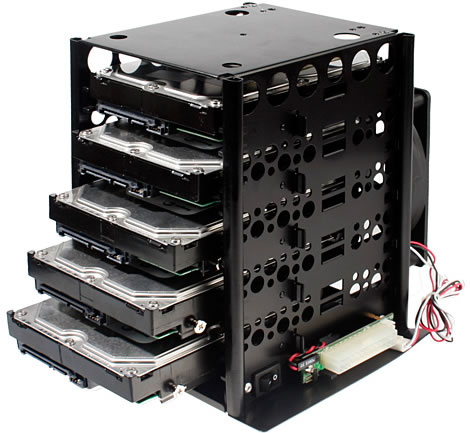
Hard drive or hard drive is a storage medium located inside the CPU box. This toolhas a hard disk made of metal in them so-called hard discs. Hard drive was first invented by IBM engineers, Reynold Johnson, in 1956. At that time consisted of 50hard disk with a size of 0.6 meters, has a speed of 1200 rpm (rotation per hour)capacity and 4.4 MB (4.4 million bytes).
Capacity is fairly small for the current size. Development of the hard drive so fast. From0.6 meters to measure only 0.6 inches, 4.4 MB of capacity, has now reached 1 TB(terabytes or 1 trillion bytes) with speeds up to 10,000 rpm. Today hard drives are notonly placed in the box
CPU, but also used as an external drive with USB or Firewire connection.

CD / DVD-ROM is a tool used to read a CD or DVD discs. Initially this tool can only read data only. Technological developments make CD / DVD drive can write or record data on CD or DVD discs. CD-ROM or DVD-ROM drive capable of writing to disc CD/ DVD is called a CD writer or DVD writer. Physically the cdrom with the sameDVDROM. It's just a different ability. DVDROM able to read CD data discs. Insteadcdrom can not read DVD discs.
USB flash storage media is more popularly called flash. It is small with a USB port at one end to connect to the computer. Data storage capacity of a flash is quite large, ranging from hundreds of megabytes to several gigabytes. Small size and itsportability makes flash become mandatory equipment for computer users who mustfrequently move data.
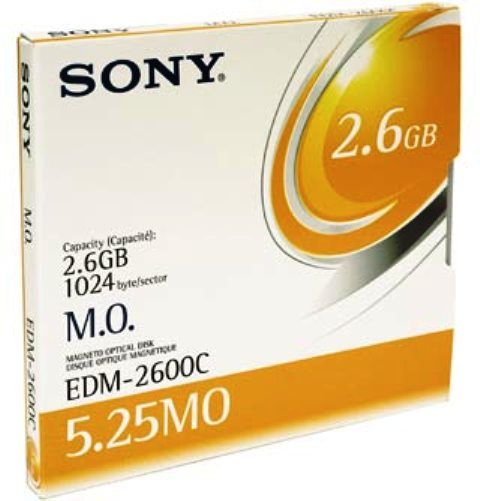
Optical disk or often called a CD or DVD is a disc-shaped storage medium diameter of 120 mm with 15 mm diameter hole in the middle. Physically, CDs and DVDs are very similar. However, both data storage capacity far adrift. CD can only store up to 700 MB of data, while DVDs can store up to 4.7 GB of data, even 17 GB.
tool Output
The information has been processed by the computer display to the user via the output device. Some output devices are widely used in computer systems is as follows.
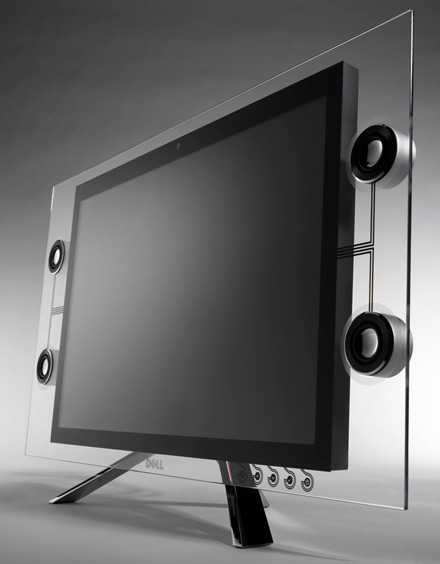
Monitor is the primary output device in a computer system that serves display andcommand data processing results directly. Today we recognize two types of monitors,the CRT (Cathode Ray Tube) and LCD (Liquid Crystal Display). The number of colorsyour monitor can display varies from 256 color, 16 bit color (high color) to 24 bit color(true color). Computer monitors typically have a refresh rate (the speed of change ofimage) 60 Hz, 70 Hz, 72 Hz, 75 Hz and 85 Hz. The size of your monitor refresh rate canbe set via the computer operating system.
The printer is a tool to display the results of processing data in printed form. A hard copy can be text, numbers, and pictures. There are three types of printers currently on the market, ie dot matrix printers, inkjet printers and laser printers.
Dot matrix printer is the type of printer that uses a ribbon and a tool he wrote in the form of a needle, similar to a typewriter. Although the printer is rarely used, but thebusinesses and offices are still many use for saving ink and prints can yield multiple (eg for invoices and receipts). The inkjet printer is a printer that uses liquid ink that is sprayed onto the paper matches the pattern specified by the computer. The laser printer is a type of printer that uses ink powder, similar to a photocopy machine. Inkpowder is sprayed onto the paper and heated to a certain temperature in orderattached. Among the three types of printer, laser printers have the best quality prints.The size of print speed of a printer is usually expressed in units of cps (characters persecond), lpm (lines per minute) or ppm (pages per minute).

LCD projector is a tool that serves featuring computer-generated objects into a largerarea, such as presentations or wall display. These devices are commonly used as aidsduring presentations and meetings as well as learning media. In addition to be connected to a computer, this tool can also be connected to VCD / DVD player so it can function as a home theater. The size of the power of the rays emitted from an LCDprojector projector is usually expressed in units of ANSI lumens. The greater ANSIlumens, the higher the intensity of light emitted an LCD projector.
Periferal
NIC or Network Interface Card is a network that serves to connect one computer toanother computer. There are two types of network cards, the network card that integrates with the mainboard (onboard) and a network card that should be added to the PCI slots found on the mainboard.
Modem serves to connect one computer to another or to the Internet via a telephone line. Modem is an acronym for modulator demodulator capable of transforming the digital signals into analog signals and vice versa. In general, the modem has a speed of 56 kbps. There are two types of modems are a lot of us have encountered, namelythe internal modem and external modem. Internal modem is a modem installed on your computer mainboard inside the CPU box, while the external modem is a modem which is connected via a USB port or serial port and is located outside the CPU box.
Hub or switch is also called a hub is a device that is used as the terminal computer network that uses UTP cable. The number of hub ports that have varied, ranging from 8, 12, 16, 24 to 32 ports. The more ports that have a hub, the more computers that canrelate.
UPS or Uninterupted Power Supply is a tool that serves to supply power as a backupwhen the electricity suddenly went out. With UPS, the computer will still remain alive for a few moments when the power goes out so we had the opportunity to save files andshut down the computer through the correct procedure.